Looking for tablets that can handle music production? The Apple iPad Pro, Microsoft Surface Pro 9, and Samsung Galaxy Tab S8 Ultra offer powerful performance, versatile software, and excellent displays, making them top choices for creating music on the go. Choosing the right one depends on your budget and specific needs.
Most Popular Tablets For Music Production: Genius Guide

Ever dreamed of creating music like a pro, right from your couch or a coffee shop? Tablets are making this dream a closer reality for many. Gone are the days when you needed a massive studio setup. Now, with the right tablet, you can compose, record, mix, and even master your tracks anywhere inspiration strikes!
But with so many options out there, it’s easy to feel overwhelmed. What makes a tablet good for music production? Is it just about raw power? Or is it the software, the screen, or compatibility with other gear? It can feel like a puzzle, and you just want to make music, not spend weeks researching tech specs.
Don’t worry! This guide is here to simplify everything. We’ll break down what matters most when choosing a tablet for music production, highlight some of the absolute best options available right now, and help you find the perfect partner for your creative journey. Get ready to discover how a tablet can transform your music-making!
Why Tablets Are Great for Music Production

Tablets have revolutionized many creative fields, and music production is no exception. They offer a unique blend of portability, power, and intuitive interfaces that traditional computers sometimes lack for on-the-go creation.
- Portability: The most obvious advantage. You can take your entire studio with you in your backpack. Waiting at an airport? Hit a chord progression. On tour? Sketch out a new song idea between soundcheck and the show.
- Touchscreen Interface: For many, tapping, swiping, and manipulating faders on a touchscreen feels more immediate and hands-on than using a mouse and keyboard, especially for composing melodies or adjusting volume levels quickly.
- App Ecosystem: Mobile operating systems boast a massive library of powerful music production apps, from full-fledged Digital Audio Workstations (DAWs) to virtual instruments and effects. Many are surprisingly capable and affordable.
- Battery Life: Most tablets offer significantly longer battery life than laptops, meaning you can work for hours without needing to find a power outlet.
- Affordability (Relatively): While high-end tablets can be pricey, they often come in at a lower cost than a comparable laptop or desktop setup required for serious music production.
What to Look For in a Music Production Tablet

Not all tablets are created equal when it comes to handling demanding audio tasks. Here’s a breakdown of the key features to consider:
1. Processing Power (CPU & RAM)
Music production software can be quite resource-intensive, especially when you’re working with multiple tracks, complex virtual instruments, and audio effects. You’ll want a tablet with a fast processor and plenty of RAM.
- Processor (CPU): Look for tablets with powerful chipsets. For Apple iPads, this means their M-series chips (M1, M2, etc.). For Android tablets, look for high-end Snapdragon processors (like the 8 Gen series) or MediaTek Dimensity chips.
- RAM (Random Access Memory): This is crucial for multitasking and running multiple applications smoothly. 8GB of RAM is a good starting point, but 12GB or more will provide a much smoother experience, especially with large projects.
2. Storage Space
Music projects, especially those with lots of audio samples and virtual instruments, can take up a lot of space. You’ll want sufficient internal storage, or at least the ability to expand it.
- Internal Storage: Aim for at least 256GB. If you plan to work with uncompressed audio or large sample libraries, consider 512GB or even 1TB.
- Expandable Storage: Some Android tablets offer microSD card slots, which are a budget-friendly way to add more storage. iPads do not have this option.
3. Display Quality
You’ll be spending a lot of time looking at your screen, so a good display is important for clarity and usability.
- Size: Larger screens (11 inches and up) offer more real estate for arranging tracks and interacting with virtual instruments.
- Resolution & Brightness: A sharp, bright display makes it easier to see details and work in different lighting conditions.
- Color Accuracy: While not as critical as for visual design, good color representation helps if you’re dealing with spectrograms or complex visualizers.
4. Connectivity & Ports
How you connect your external gear is vital for a seamless workflow.
- USB-C/Thunderbolt: This is the standard for modern tablets. Ensure it supports data transfer and charging. Thunderbolt ports (common on higher-end iPads and some Windows tablets) offer faster data speeds, which can be beneficial for external drives and audio interfaces.
- Headphone Jack: Increasingly rare, but still useful if you don’t want to rely solely on wireless headphones or USB-C adapters.
- Bluetooth: Essential for wireless headphones, MIDI controllers, and other accessories.
5. Software & Ecosystem
The operating system and available apps are as important as the hardware.
- DAWs: What music production apps are available? For iPads, GarageBand is free and capable, while professional DAWs like Logic Pro for iPad, Cubasis, and FL Studio Mobile are excellent choices. Android has options like FL Studio Mobile and Cubasis. Windows tablets can run full desktop DAWs like Ableton Live, FL Studio, Pro Tools, and Cubase.
- Virtual Instruments & Effects: A rich library of plugins is crucial. The quality and variety can differ significantly between ecosystems.
- Compatibility: Ensure the tablet you choose can run the software you want and connect to the audio interfaces or MIDI controllers you plan to use.
Top Tablets for Music Production in [Current Year]
![Top Tablets for Music Production in [Current Year]](https://i2.wp.com/tabletzoo.com/wp-content/uploads/2026/03/top-tablets-for-music-production-in-current-year-2.webp)
Based on the criteria above, here are some of the most popular and capable tablets for music production:
1. Apple iPad Pro (M2 chip)
The iPad Pro has long been a favorite for creatives, and the latest M2 models continue this tradition with impressive power and a stellar ecosystem.
Why it’s great for music production:
- Unmatched Performance: The M2 chip provides desktop-class performance, effortlessly handling demanding apps and large projects.
- Logic Pro for iPad: This is a game-changer. A full-featured version of Apple’s professional DAW, offering multi-track recording, virtual instruments, and effects that were previously only available on Mac. (Requires subscription). You can find more about it at Apple’s official Logic Pro page.
- Rich App Store: Access to GarageBand, Cubasis, FL Studio Mobile, and a vast array of high-quality virtual instruments and effects plugins.
- Stunning Liquid Retina XDR Display: Vibrant colors and excellent contrast make it a joy to work with.
- USB-C/Thunderbolt 4: Fast connectivity for audio interfaces and external storage.
- Apple Pencil 2 Support: Great for precise control and drawing MIDI notes.
Considerations:
- Can be expensive, especially with higher storage configurations.
- Limited expandability beyond external drives.
- Logic Pro for iPad requires a subscription.
Ideal for: Users who want a powerful, portable, and user-friendly option with access to professional-grade DAWs and a mature app ecosystem.
2. Microsoft Surface Pro 9
The Surface Pro 9 bridges the gap between tablet and laptop, running a full version of Windows, which opens the door to a universe of desktop-class music production software.
Why it’s great for music production:
- Runs Full Desktop DAWs: This is the biggest advantage. You can install and run Windows versions of Ableton Live, FL Studio, Cubase, Pro Tools, Reaper, and virtually any other desktop DAW. Check out Ableton Live’s website for more details on their software.
- Powerful Intel Processors: Capable CPUs handle demanding audio tasks with ease.
- Versatility: Use it as a tablet or attach the optional keyboard cover to use it like a laptop.
- Wide Range of Ports: Typically includes USB-C ports, which are crucial for audio interfaces.
- Large Ecosystem of Plugins: Access to VST, AU, and AAX plugins – the industry standard.
Considerations:
- Windows touch interface can be less intuitive for some music apps compared to iPadOS.
- Battery life can be less consistent than iPads under heavy load.
- Higher-end configurations can rival laptop prices.
Ideal for: Producers who are already invested in the Windows ecosystem, need to use specific desktop VST plugins, or want the flexibility to run full DAWs.
3. Samsung Galaxy Tab S8 Ultra
Samsung’s flagship tablet offers a massive screen and powerful specs, making it a compelling Android option for music creation.
Why it’s great for music production:
- Enormous AMOLED Display: The 14.6-inch screen is fantastic for arranging tracks, viewing complex interfaces, and multitasking.
- Powerful Snapdragon Processor: Handles demanding apps and multitasking smoothly.
- DeX Mode: Samsung’s desktop-like interface enhances productivity, making it feel more like a computer.
- Good App Selection: Access to FL Studio Mobile, Cubasis, and a growing number of audio apps on the Google Play Store.
- Expandable Storage: MicroSD card support allows for affordable storage expansion.
- S Pen Included: Offers precise control for editing and note-taking.
Considerations:
- The Android tablet app ecosystem for professional music production is still maturing compared to iPadOS or Windows.
- Fewer high-end, dedicated music production apps specifically optimized for Android tablets.
Ideal for: Android users who want a large, immersive screen for music production and appreciate Samsung’s DeX interface, and who prioritize portability and a sleek Android experience. For more on Android’s capabilities, you can look at resources from Android’s developer audio documentation.
4. Apple iPad Air (M1 Chip)
If the iPad Pro is a bit out of reach, the iPad Air offers a sweet spot of performance and price for music production.
Performance: The M1 chip provides excellent power, more than enough for most mobile music production tasks and many professional workflows.
- Access to iPadOS Apps: You get the same fantastic app library as the iPad Pro, including GarageBand, Logic Pro for iPad (subscription required), Cubasis, and others.
- Slightly Smaller Display: Still a good size at 10.9 inches, offering a great balance of screen real estate and portability.
- USB-C Port: For connecting accessories.
Considerations:
- No ProMotion (120Hz adaptive refresh rate) like the iPad Pro, but still very smooth.
- Less powerful than the M2 iPad Pro, though the M1 is highly capable.
Ideal for: Budget-conscious creators who still demand high performance and access to the best mobile music production apps, especially Logic Pro for iPad.
Comparing the Top Contenders
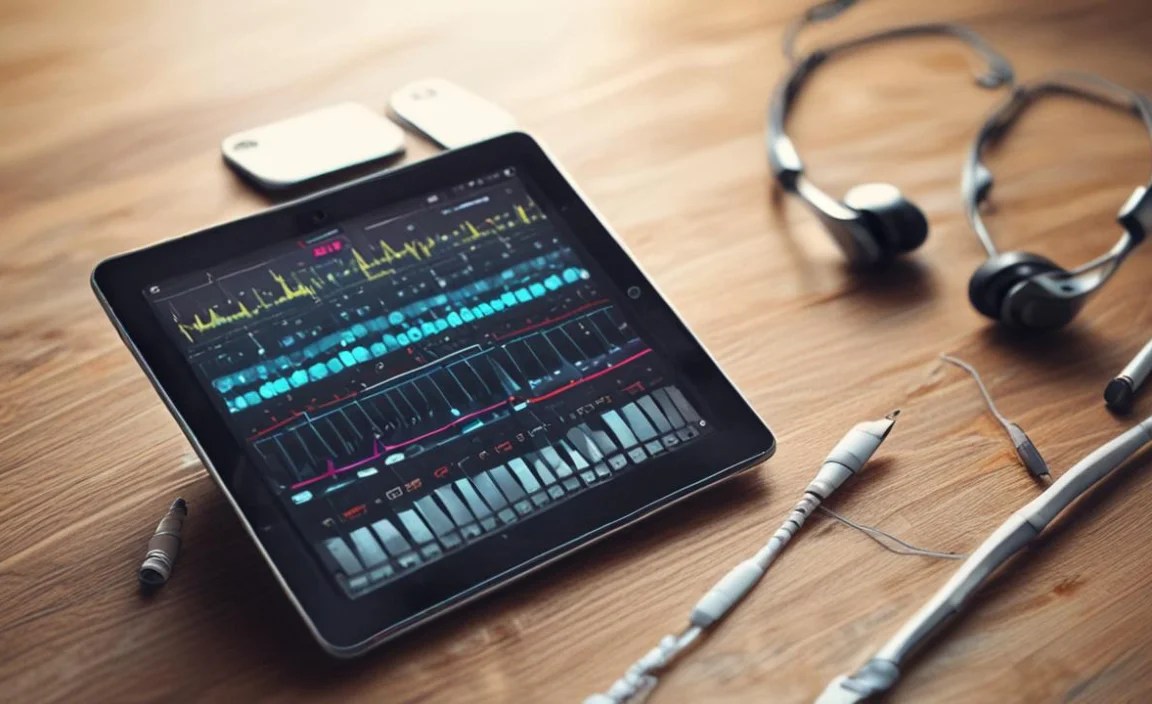
Here’s a quick look at how these popular tablets stack up for music production:
| Feature | Apple iPad Pro (M2) | Microsoft Surface Pro 9 | Samsung Galaxy Tab S8 Ultra | Apple iPad Air (M1) |
|---|---|---|---|---|
| Operating System | iPadOS | Windows 11 | Android | iPadOS |
| Processor Performance | Excellent (M2) | Very Good (Intel Core i5/i7) | Very Good (Snapdragon 8 Gen 1) | Excellent (M1) |
| RAM Options | 8GB, 16GB | 8GB, 16GB, 32GB | 8GB, 12GB, 16GB | 8GB |
| Storage Options | 128GB – 2TB | 128GB – 1TB | 128GB – 512GB (+ micro SD) | 64GB – 256GB |
| Display Size | 11-inch or 12.9-inch | 13-inch | 14.6-inch | 10.9-inch |
| Key DAW Options | Logic Pro for iPad, GarageBand, Cubasis, FL Studio Mobile | Ableton Live, FL Studio, Cubase, Pro Tools, Reaper (Full Desktop Versions) | FL Studio Mobile, Cubasis | Logic Pro for iPad, GarageBand, Cubasis, FL Studio Mobile |
| Expandable Storage | No | No (External SSD via USB-C) | Yes (microSD) | No |
| Portability Factor | High | Medium (with keyboard) | Medium (due to size) | Very High |
| Ecosystem Strength (Music Apps) | Excellent | Excellent (Desktop Software) | Good (Growing) | Excellent |
Essential Accessories for Tablet Music Production
To get the most out of your tablet for music production, consider these accessories:
- Audio Interface: This is crucial for connecting microphones, instruments (like guitars or keyboards), and studio monitors to your tablet, offering better audio quality and lower latency than built-in inputs. Look for interfaces compatible with iOS or Android, often connecting via USB-C. Brands like Focusrite and Behringer offer great options.
- MIDI Controller Keyboard: Much more natural for playing melodies and chords than a touchscreen. Many compact MIDI keyboards connect via USB-C or USB-A (with an adapter).
- Headphones: Good quality studio headphones are essential for accurate mixing and monitoring.
- Tablet Stand: Elevates your tablet to a more ergonomic viewing angle, especially useful when paired with external instruments or a keyboard.
- USB Hub/Adapter: If your tablet has limited ports, a hub can enable you to connect multiple USB devices (audio interface, MIDI controller, external drive) simultaneously.
- Stylus: While some tablets come with one, a good stylus like the Apple Pencil or Samsung S Pen offers precise control for editing audio, drawing MIDI notes, and navigating complex interfaces.
Popular Music Production Apps for Tablets
The software you use is just as important as the hardware. Here are some of the most popular and capable apps:
For iPadOS:
- Logic Pro for iPad: (Subscription) The professional-grade DAW from Apple, now optimized for touch. Features multi-track recording, a vast library of instruments and effects, and seamless integration with other Apple devices.
- GarageBand: (Free) Pre-installed on all iPads, this is an incredibly capable and user-friendly DAW perfect for beginners and even seasoned producers for sketching out ideas.
- Cubasis 3: ($50-$30 depending on features) A powerful mobile DAW with multi-track recording, a mixer, effect editors, and support for many

Your tech guru in Sand City, CA, bringing you the latest insights and tips exclusively on mobile tablets. Dive into the world of sleek devices and stay ahead in the tablet game with my expert guidance. Your go-to source for all things tablet-related – let’s elevate your tech experience!