So, you’re eyeing the RCA Tablet 10 Viking Pro and wonder if its specs can truly handle your work needs? This guide breaks down the RCA Tablet 10 Viking Pro’s essential features, making it easy to see if it’s the right tool to boost your productivity. We’ll cover everything you need to know in simple terms, so you can make an informed choice without the techy jargon. Let’s dive in and discover how this tablet can become your go-to work companion!
RCA Tablet 10 Viking Pro Specs: Your Pocket-Sized Productivity Powerhouse

Choosing the right tablet for work can feel like navigating a maze of technical terms. You want something reliable, capable, and easy to use, without breaking the bank. The RCA Tablet 10 Viking Pro often pops up as an affordable option, and for good reason. It aims to bring essential functionality to everyday users looking to get things done on the go. Let’s break down the RCA Tablet 10 Viking Pro specs and figure out just how well it stacks up as a work tool.
Understanding the Core Specs: What Makes it Tick?
When we talk about tablet specs, we’re essentially looking at the ingredients that make the device work. For the RCA Tablet 10 Viking Pro, these core components determine its speed, multitasking abilities, and overall user experience.
Processor and RAM: The Brains and Memory
Processor: The processor is like the tablet’s engine. It handles all the calculations and operations. The RCA Tablet 10 Viking Pro typically features a quad-core processor. This means it has four “cores” to handle tasks, which is sufficient for everyday productivity apps like word processing, email, and web browsing. It might not be designed for heavy-duty gaming or complex video editing, but for common work tasks, it gets the job done.
RAM (Random Access Memory): RAM is like the tablet’s short-term memory. The more RAM a tablet has, the more apps it can keep open and switch between smoothly without slowing down. The RCA Tablet 10 Viking Pro usually comes with 1GB or 2GB of RAM. For basic tasks, 1GB can be a bit tight, especially if you multitask a lot. 2GB offers a noticeable improvement, allowing you to keep more browser tabs open or switch between your email and a document more seamlessly.
Storage: Where Your Files Live
Internal Storage: This is where your operating system, apps, and files are stored. The Nexus 10 Viking Pro generally offers 32GB of internal storage. While 32GB is enough for many essential apps and documents, it can fill up quickly if you store a lot of photos, videos, or larger files directly on the tablet.
Expandable Storage: The good news is that many RCA Tablet 10 Viking Pro models come with a microSD card slot. This is a lifesaver for expanding your storage capacity affordably. You can pick up a larger microSD card (up to 128GB or even more, depending on the model’s support) and use it to store more documents, photos, or even offline media. This is a crucial feature if you plan to carry many work files with you.
Display: Your Window to the Digital World
Screen Size and Resolution: The “10” in RCA Tablet 10 Viking Pro refers to its 10-inch screen size. A 10-inch display offers a good balance – it’s large enough to comfortably view documents, spreadsheets, and web pages, and for typing with an on-screen keyboard, without being as bulky as some larger tablets. The resolution, typically around 1280 x 800 pixels (HD), is decent for general use. It’s clear enough for reading text and viewing images, though it won’t be as sharp as high-end tablets with Full HD or higher resolutions. For productivity tasks where crisp text is paramount, it’s perfectly adequate.
Touchscreen Technology: The capacitive touchscreen is responsive enough for typical tablet interactions like tapping, swiping, and pinch-to-zoom.
Connectivity: Staying in Touch and Linked Up
For a work tablet, how you connect to the internet and other devices is vital.
Wi-Fi: All RCA Tablet 10 Viking Pro models come with Wi-Fi connectivity. This is your primary way to access the internet at home, in the office, or at cafes. For browsing, email, and cloud-based apps, a stable Wi-Fi connection is essential.
Bluetooth: Bluetooth allows you to connect wireless accessories. This is incredibly useful for work. You can pair a Bluetooth keyboard and mouse for a more desktop-like typing experience on the go. It’s also great for connecting wireless headphones for calls or listening to music while you work.
Optional Cellular Connectivity: Some higher-end versions might offer cellular (3G/4G/LTE) capabilities. If you often work in areas without reliable Wi-Fi, having cellular data means you can stay connected wherever you have a signal from your mobile carrier. This feature significantly increases its portability and work utility but usually comes at a higher price point.
Operating System and Software: Your Digital Workspace
The RCA Tablet 10 Viking Pro runs on the Android operating system.
Android OS: You’ll likely find it running a version of Android, often an older one depending on when and where it was purchased. While newer Android versions offer more features, a functional version of Android is perfectly capable of running a vast array of productivity apps from the Google Play Store.
Google Play Store: This is your gateway to thousands of apps. For work, you can download:
Productivity Suites: Google Workspace (Docs, Sheets, Slides), Microsoft Office apps (Word, Excel, PowerPoint), WPS Office.
Note-Taking Apps: Google Keep, Evernote, OneNote.
Communication Apps: Gmail, Outlook, Zoom, Slack.
Cloud Storage Clients: Google Drive, Dropbox, OneDrive.
PDF Viewers/Editors: Adobe Acrobat Reader, Xodo PDF.
The ability to install these apps transforms the tablet from a simple media device into a functional workstation. For more on Android’s versatility, check out Google’s official Android page: [android.com].
Battery Life: Powering Through Your Day
Battery life is always a key consideration for any portable device. While specific battery life can vary greatly depending on usage, screen brightness, and the specific model, RCA tablets are generally designed to offer a decent number of hours of use on a single charge. For typical work tasks like email, browsing, and document editing, you can expect it to last for several hours – often enough to get you through a good portion of your workday or a long commute. It’s always a good idea to carry your charger with you if you anticipate a very long day away from a power outlet.
RCA Tablet 10 Viking Pro Specs: Is It a Good Work Tool?

Let’s translate these specs into practical work benefits.
Key Work-Related Features
Portability: With its 10-inch screen and relatively light build, the tablet is easy to carry in a bag or briefcase. This makes it ideal for field sales, remote work, or students who move between classes.
Versatile Apps: The Android OS and Google Play Store give you access to a wide range of productivity apps. You can set up a mobile office essentially anywhere.
Expandable Storage: The microSD card slot is a significant plus for work. You can carry large project files, presentations, or a library of documents without worrying about filling up the internal storage quickly.
Affordability: This is often one of the biggest draws. The RCA Tablet 10 Viking Pro offers a functional tablet experience at a price point that makes it an accessible option for many individuals and small businesses.
Potential Limitations for Serious Workloads
It’s also important to be realistic about what this tablet is best suited for.
Performance: For users needing to run complex software, heavy multitasking with many demanding apps, or high-end graphic design, the processor and RAM might feel limiting.
Screen Quality: While adequate for reading and basic tasks, the screen resolution might not be ideal for design professionals who require extremely color-accurate or high-resolution displays.
Build Quality: Entry-level tablets often prioritize cost, which can sometimes mean less premium build materials compared to higher-priced competitors.
Who is the RCA Tablet 10 Viking Pro Best For?
Based on its specs, the RCA Tablet 10 Viking Pro shines as a work tool for:
Students: Taking notes, accessing online courses, writing papers, and research.
Field Professionals: Sales reps accessing product catalogs, managing appointments, and sending reports.
Light Office Users: Email, calendar management, basic document review, and communication apps.
Budget-Conscious Users: Those who need a functional, portable device for basic productivity without a significant investment.
Essential Accessories to Maximize Your RCA Tablet 10 Viking Pro for Work

To truly turn your RCA Tablet 10 Viking Pro into an efficient work machine, consider adding these accessories:
Productivity-Boosting Add-ons
Bluetooth Keyboard and Mouse: This is arguably the most impactful accessory. It transforms the tablet into a mini laptop. Typing long emails, reports, or spreadsheets becomes far more comfortable and faster with a physical keyboard.
Protective Case with Stand: A good case not only protects your investment but also often includes a built-in stand. This is perfect for hands-free viewing of documents, video calls, or following along with tutorials.
MicroSD Card: As mentioned, expanding your storage is crucial if you plan to carry many files. Get a card from a reputable brand like SanDisk or Samsung for reliability.
Stylus Pen: For note-taking, sketching ideas, or annotating documents, a stylus can be invaluable. Look for a compatible active or passive stylus that works with capacitive touchscreens. While it might not offer the precision of higher-end styluses on premium tablets, it can significantly aid in digital note-taking.
Portable Power Bank: To ensure you never run out of juice during a busy workday, a portable power bank is a smart investment.
Comparing RCA Tablet 10 Viking Pro Specs to Common Work Needs

Let’s see how the specs align with typical work scenarios:
| Work Task | RCA Tablet 10 Viking Pro Capability | Notes |
| :————————- | :—————————————————————————————————————————————————————– | :———————————————————————- |
| Email & Communication | Excellent. Processes standard email clients (Gmail, Outlook) and communication apps (Zoom, Slack) smoothly with sufficient RAM. | Wi-Fi or Cellular connectivity is key. |
| Document Editing/Viewing| Good. Handles word processing (Docs, Word) and spreadsheets (Sheets, Excel) for moderate edits and quick reviews. | A Bluetooth keyboard greatly enhances this. |
| Web Browsing & Research| Good. Can handle multiple tabs for browsing and accessing online resources. Performance depends on the complexity of websites and RAM. | Close unused tabs and apps to maintain speed. |
| Note-Taking & Journaling| Good. Works well with apps like Google Keep or OneNote. A stylus can significantly improve the experience. | Best for typed or simple handwritten notes. |
| Presentations (Viewing)| Good. Can display presentations from cloud storage or apps. | Creating complex presentations might be slow. |
| Video Conferencing | Adequate. Can run apps like Zoom or Google Meet but may experience lag in busy calls or with poor internet. | Best in a stable Wi-Fi environment. |
| Field Sales/Service Logs| Very Good. Excellent for accessing customer data, product catalogs, and filling out digital forms in the field. Lightweight and portable. | Expandable storage is vital for offline data. |
| Heavy Multitasking | Limited. Running many power-hungry apps simultaneously will likely lead to slowdowns due to processor and RAM constraints. | Focus on one or two primary apps at a time. |
| Graphic Design/Video Edit| Not Recommended. The specs are not designed for these intensive tasks. | Seek professional-grade tablets for these purposes. |
Understanding Processor Architectures (A Simple Overview)
You might see terms like “ARM-based,” “quad-core,” or specific processor names. For the RCA Tablet 10 Viking Pro, the focus is on having multiple cores (quad-core) that share the workload. This is efficient for tablet-style tasks. ARM architecture is common in mobile devices because it’s designed for power efficiency, which is crucial for battery life. You don’t need to be an expert, but knowing it’s built for efficient mobile computing is helpful. For more on ARM processors, you can explore resources from ARM themselves: [arm.com].
Setting Up Your RCA Tablet 10 Viking Pro for Work

Once you have your tablet, setting it up correctly is key to making it a productivity machine.
Initial Setup Steps
1. Charge Fully: Before you begin, ensure your tablet is fully charged to avoid interruptions.
2. Power On & Language Selection: Turn on the tablet and follow the on-screen prompts to select your language and region.
3. Connect to Wi-Fi: Choose your Wi-Fi network and enter the password. This is essential for downloading apps and updates.
4. Google Account Login: Sign in with your existing Google account or create a new one. This links you to the Google Play Store and cloud services like Google Drive.
5. Set Up Security: Choose a screen lock method (PIN, pattern, password) to protect your work data. Fingerprint or face unlock might be available on some models.
6. Insert MicroSD Card (if applicable): If you’re expanding storage, insert your microSD card now. You may need to format it through the tablet’s settings.
7. Update Software: Go to Settings > System > System Update (or similar path) and check for any available Android OS updates. Keeping your software up-to-date is important for security and performance.
Installing Essential Work Apps
Navigate to the Google Play Store and search for these work essentials:
Google Docs, Sheets, Slides: For document creation and editing.
Microsoft Office Mobile (Word, Excel, PowerPoint): If you prefer the Microsoft ecosystem or need to edit .docx/.xlsx files.
Email Client: Your preferred email app (e.g., Gmail, Outlook).
Cloud Storage Clients: Google Drive, Dropbox, OneDrive.
Note-Taking App: Google Keep, Evernote, OneNote.
PDF Reader: Adobe Acrobat Reader or Xodo.
Communication Tools: Zoom, Slack, Microsoft Teams.
Maximizing Productivity: Tips and Tricks
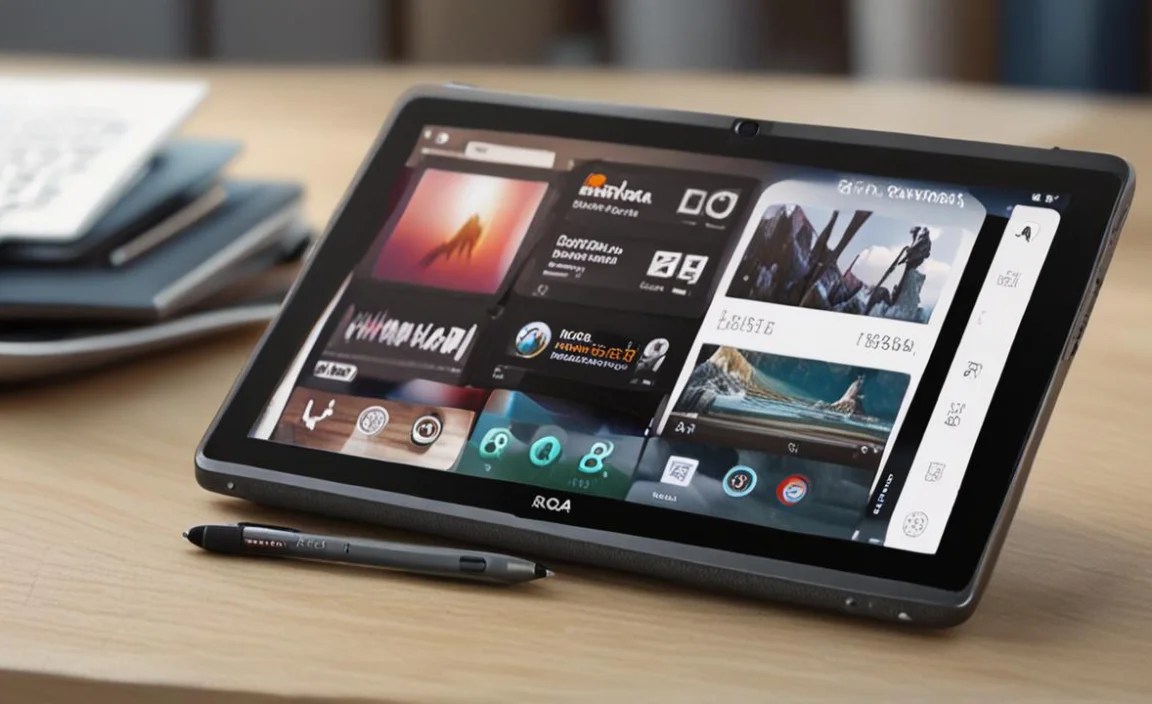
Even with capable hardware, smart usage can make a big difference when using your RCA Tablet 10 Viking Pro for work.
Smart Usage Habits
Organize Your Home Screen: Dedicate your main home screen to frequently used work apps and widgets (like a calendar or notes).
Utilize Split-Screen Mode: If your Android version supports it, use split-screen to view two apps at once. For example, have your email open alongside a document you’re editing.
Cloud Synchronization: Ensure your cloud storage apps are set to sync automatically. This way, your work is backed up and accessible across devices. You can learn more about cloud storage benefits from resources like the U.S. government’s Tech Tips from the Federal CIO: [cio.gov].
Manage No

Your tech guru in Sand City, CA, bringing you the latest insights and tips exclusively on mobile tablets. Dive into the world of sleek devices and stay ahead in the tablet game with my expert guidance. Your go-to source for all things tablet-related – let’s elevate your tech experience!